Work / Citrix · Enterprise Browser
Start a project
Unified Platform Vision for Citrix Ecosystem
The Citrix ecosystem previously relied on multiple admin consoles and personas, forcing administrators to switch between interfaces to create, edit, and publish applications. This fragmentation led to notification overload and made troubleshooting a complex process. Additionally, end users had to install multiple applications, complicating the overall experience.

As a Design Director, I assembled and mentored a talented team to execute a unified platform that addresses these challenges. We designed a single browser application that serves both administrators and end users, significantly simplifying workflows. Now, users only need to install the Citrix enterprise browser, which reduces complexity and enhances the user experience.

In addition, we streamlined telemetry collection by unifying all clients into a single solution, making it easier to troubleshoot issues and provide proactive alerts and recommendations. This comprehensive approach drastically improved the admin experience and provided actionable insights for system optimization.
Citrix
CEB
Citrix 2024-25
Workspace
Secure Access
Enterprise Browser
Secure Private Access
Observability
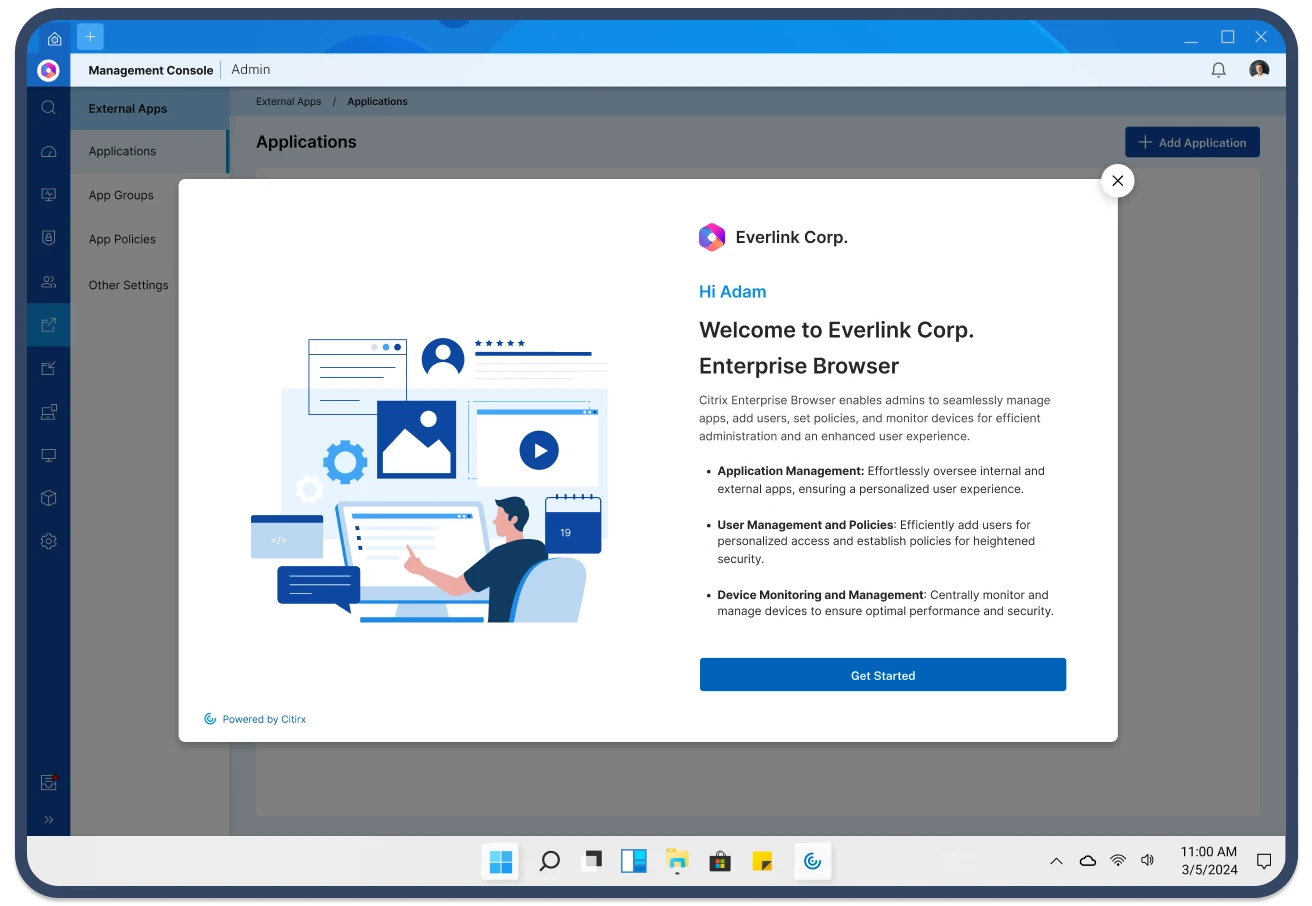
Management console welcome to the Everlink Corp. enterprise browser
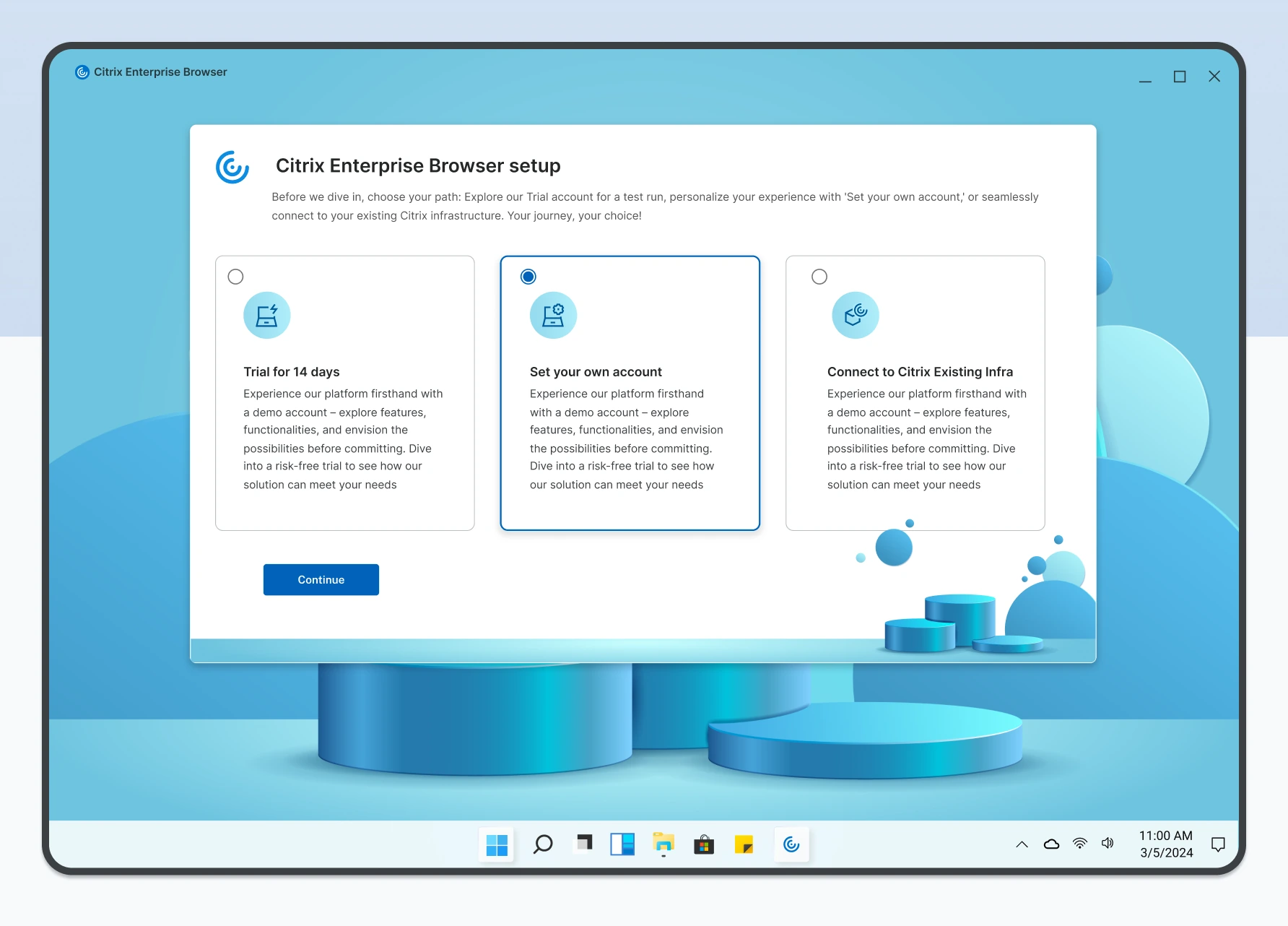
Citrix Enterprise Browser setup
Citrix Enterprise Browser install
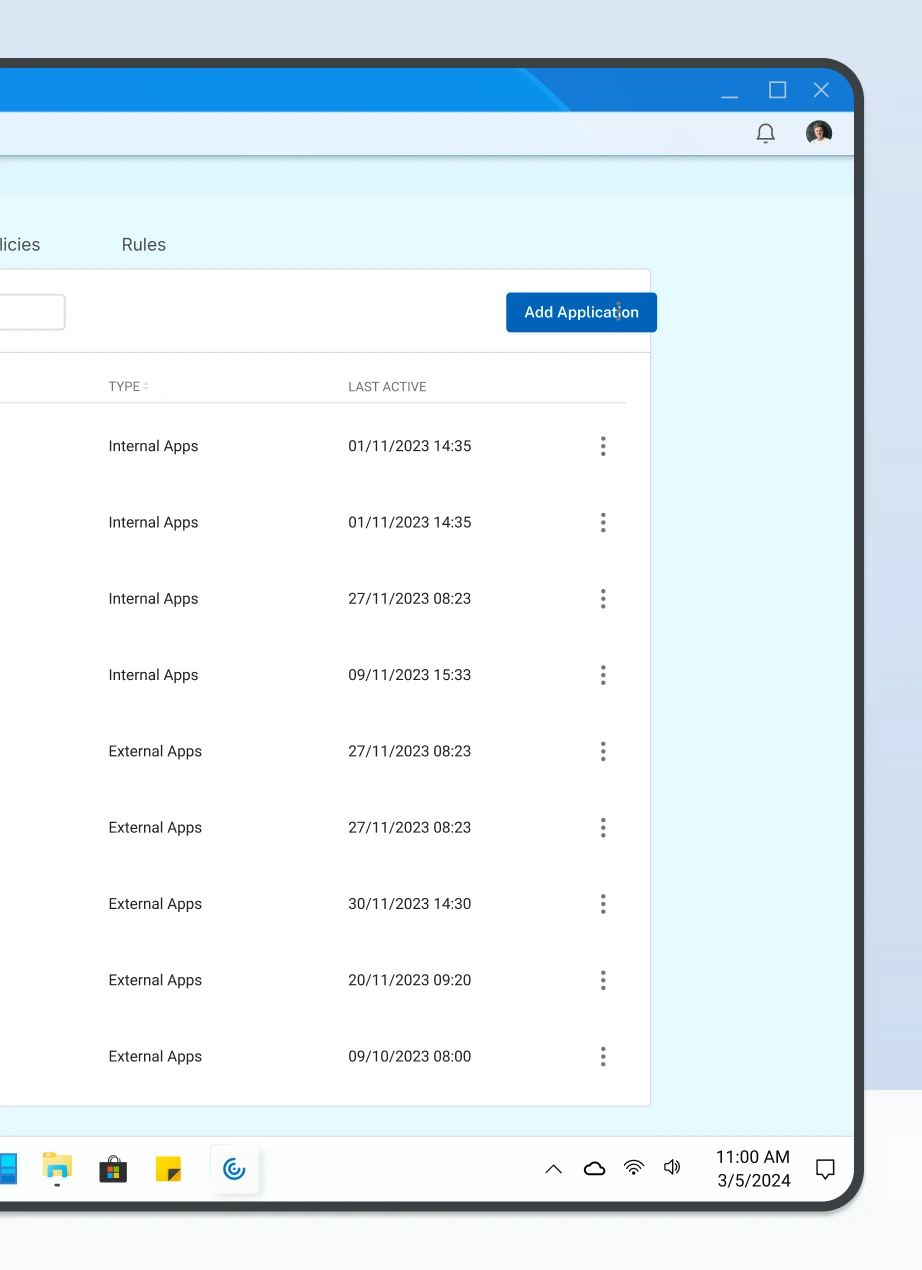
Applications list
Problem statement

Fragmented Admin Experience in the Citrix Ecosystem

The Citrix ecosystem previously required administrators to navigate multiple consoles to create, edit, and publish applications, leading to a disjointed user experience. This fragmentation caused notification overload and made troubleshooting time-consuming and inefficient. End users also faced challenges, needing to install multiple applications to interact with the system. Additionally, gathering comprehensive telemetry data was difficult due to the multiple clients connecting to various systems, making it challenging to deliver proactive alerts and recommendations.

  • Multiple consoles
  • Notification overload
  • Slow troubleshooting
  • Multiple installs
  • Scattered telemetry
A designer thinking through connected ideas
Solution statement

Unified Platform for Admins and End Users

To address the fragmented admin experience in the Citrix ecosystem, we are planning to develop a unified platform—a single browser application that will simplify workflows for both administrators and end users. This solution aims to consolidate all admin functionalities, reducing notification overload and streamlining troubleshooting. End users will only need to install the Citrix enterprise browser, making their interaction with the system easier. Additionally, by unifying all clients, we will improve telemetry collection, enabling proactive alerts and recommendations, significantly enhancing the admin experience and system efficiency.

  • One browser
  • One admin console
  • Fewer notifications
  • Faster troubleshooting
  • Unified telemetry

UI Stage

User interface

Application performance dashboard
Interface components: desktop details, console switcher, user card and app status
Applications
The admin panel includes an application section where administrators can configure both external and internal apps. This feature allows seamless management and integration of various applications within the unified platform.
Applications: external and internal apps
Policy
The policy section enables admins to configure application policies for their users, including Access Control, Security, Data Loss Prevention, and Device Posture. This ensures robust management of application behavior and user access within the unified platform.
Access control policies
Monitor
The monitor section provides admins with detailed activity logs of users and the devices they use. This feature enables comprehensive oversight and tracking of user and device behavior within the unified platform.
User timeline with policy evaluation and session details
Dashboard
The dashboard section offers admins a detailed overview of all application performance and performance trends. This allows for efficient monitoring and analysis of application health and usage patterns.
Application performance dashboard with world map
Browser home
The home section in the enterprise browser allows admins to view the applications assigned to them, as well as receive information on all pending actions and upcoming events. This page is customizable by the admin for a tailored experience.
Enterprise browser home with apps and desktops
Switching between apps
Admins can seamlessly switch between applications by clicking on the waffle menu. This feature ensures quick and easy navigation across various apps within the unified platform.
Switching between NetScaler and other consoles
Citrix Enterprise Browser home: the new Everlink platform, my apps and desktops
Microsoft Outlook app details
Regions map
Ascent HR Payroll app card
Navigation menu with Monitor selected
No users or user group added
Managed Windows desktop
Notification, apps and console icons
Request to access netflix.com
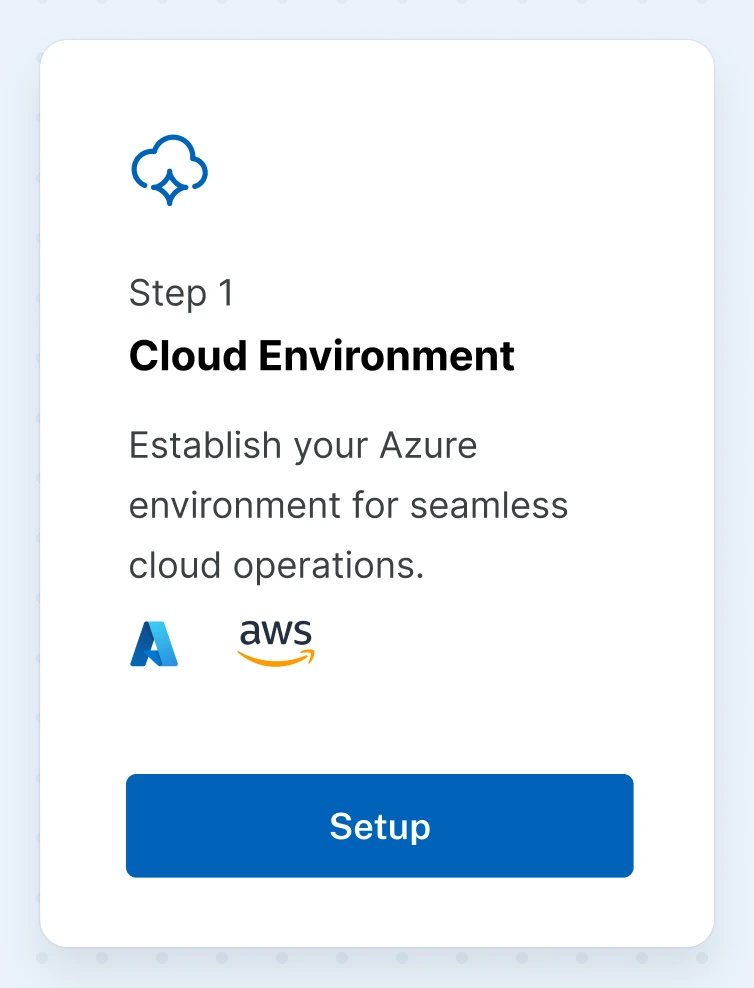
Cloud environment setup step
Applications search
Styleguide
Lato is a sans-serif typeface family designed by Łukasz Dziedzic in 2010. Known for its clean, modern look, Lato is widely used for both body text and headings, offering excellent readability across digital and print media. Its name means "summer" in Polish, reflecting its warm, friendly appeal.

#A5E2FD

#0062BA

#C91D1D

#67BA6F

#383B3F

Type scale from TitleLarge to BodySmallRegular
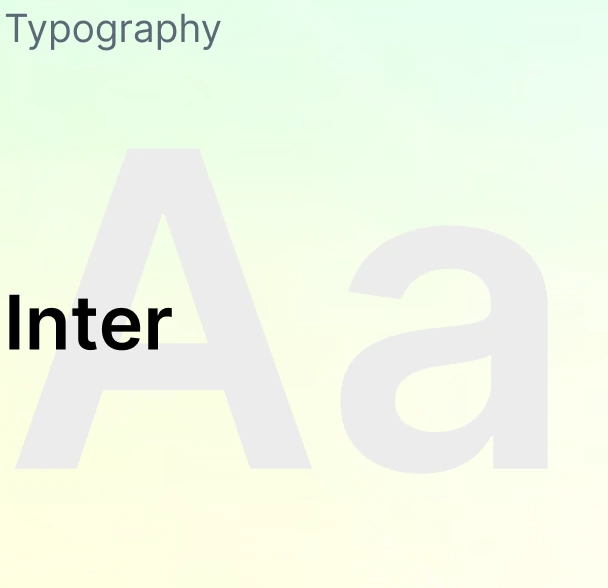
Inter, Aa
Welcome to Citrix Enterprise Browser
Welcome to Everlink Corp. in the management console
Ascent HR Payroll access settings
Dedicated desktops
Browser home: Townhall 2024
User timeline
Add application
Welcome to Citrix Enterprise Browser
Welcome to Everlink Corp. in the management console
Ascent HR Payroll access settings
Dedicated desktops
Browser home: Townhall 2024
User timeline
Add application
Dedicated desktops
Browser home: Townhall 2024
User timeline
Add application
Welcome to Citrix Enterprise Browser
Welcome to Everlink Corp. in the management console
Ascent HR Payroll access settings
Dedicated desktops
Browser home: Townhall 2024
User timeline
Add application
Welcome to Citrix Enterprise Browser
Welcome to Everlink Corp. in the management console
Ascent HR Payroll access settings
Add application
Welcome to Citrix Enterprise Browser
Welcome to Everlink Corp. in the management console
Ascent HR Payroll access settings
Dedicated desktops
Browser home: Townhall 2024
User timeline
Add application
Welcome to Citrix Enterprise Browser
Welcome to Everlink Corp. in the management console
Ascent HR Payroll access settings
Dedicated desktops
Browser home: Townhall 2024
User timeline
Ascent HR Payroll access settings
Dedicated desktops
Browser home: Townhall 2024
User timeline
Add application
Welcome to Citrix Enterprise Browser
Welcome to Everlink Corp. in the management console
Ascent HR Payroll access settings
Dedicated desktops
Browser home: Townhall 2024
User timeline
Add application
Welcome to Citrix Enterprise Browser
Welcome to Everlink Corp. in the management console
User timeline
Add application
Welcome to Citrix Enterprise Browser
Welcome to Everlink Corp. in the management console
Ascent HR Payroll access settings
Dedicated desktops
Browser home: Townhall 2024
User timeline
Add application
Welcome to Citrix Enterprise Browser
Welcome to Everlink Corp. in the management console
Ascent HR Payroll access settings
Dedicated desktops
Browser home: Townhall 2024
Why
The Evolving IT Landscape and the Need for a Unified Citrix Browser

In today’s rapidly changing IT environment, organizations are increasingly moving from Native to Virtual and SaaS-based solutions to ensure flexibility and scalability. This shift brings new challenges, especially around security, device management, and the user experience. With VPN-less solutions gaining traction, secure and seamless access to applications from both managed and non-managed devices has become a top priority.

Citrix’s core principle of control and security remains paramount, but traditional solutions must adapt to meet the demands of a modern workforce. As enterprise IT environments diversify, ensuring the best user experience across different device types, network conditions, and application models has become more complex.

Lastly, the ZScaler-type threat looms large, with cloud-native competitors rising in prominence. This competitive landscape demands innovation that simplifies admin workflows and secures access without compromising usability. Hence, the Citrix browser emerges as a critical solution—a unified, secure, and user-friendly experience that tackles the challenges of fragmentation across devices, VPNs, and SaaS environments
Competitor and partner logo
Process & Strategy
My Role
I spearheaded the design vision, collaborated with product managers and engineers, and mentored the design team.
My responsibilities included:
  • Defining the strategic design direction.
  • Leading research initiatives to identify admin pain points.
  • Aligning with business goals to balance user needs and technical feasibility.
  • Overseeing execution from concept to final delivery.
  • Presenting design solutions to senior leadership and key stakeholders.
Team & Collaboration
Team Size
3 designers
12 engineers
3 product managers
Stakeholders
Collaborated with senior leadership, engineering leads, and the customer success team to ensure that the solution met the needs of both admins and business objectives
Collaboration
Conducted weekly design critiques and cross-functional workshops to align design with engineering constraints and business requirements.
Process
Research & Discovery
Led user interviews and usability tests with enterprise customers, identifying issues like notification overload, complex navigation, and difficult troubleshooting.
Ideation & Prototyping
Developed wireframes and prototypes in Figma, using Design Thinking to streamline admin workflows and validate ideas with stakeholders and users.
Design System Integration
Directed the integration of a scalable design system, reducing design and development time by 30% while ensuring consistency across the admin console and future releases.
Personas
For this project, we are targeting two key personas: Admins and End Users. The solution is designed to meet the needs of both groups by simplifying admin tasks like management, troubleshooting, and security alerts, while providing end users with a streamlined, easy-to-use experience that minimizes setup and complexity.
Admin persona John Walker, male, 39
Admin tasks and challenges
End user persona Emily Harper, female, 32
End user tasks and challenges
Information Architecture
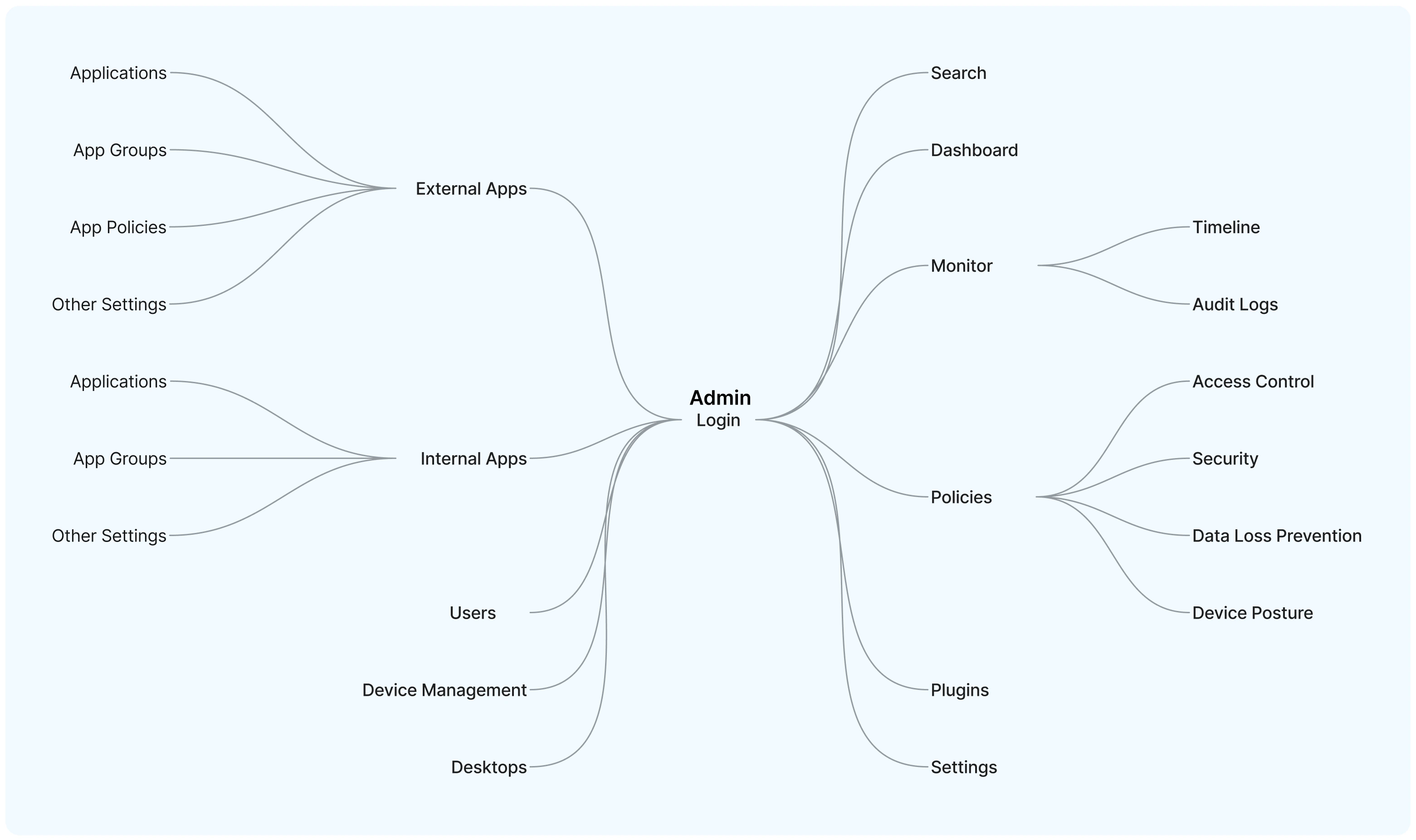
For a visionary project to merge the admin console and user-facing enterprise product into a unified experience, I developed a comprehensive Information Architecture (IA). This IA ensured intuitive navigation and efficient access to features for both administrators and users. The project demonstrates my ability to integrate complex systems into a single, user-friendly platform, enhancing overall usability and productivity.
Admin information architecture: external and internal apps, users, devices, monitor, policies, plugins and settings
End user flow: install the browser, log in, then desktop, internal and external applications
Wireframes
We developed wireframes grounded in our user research and Information Architecture (IA) insights. These wireframes serve as early-stage visual guides, helping to outline the user flow and structure of the experience before diving into detailed design. The goal was to ensure clarity and alignment across the team from the start, allowing for feedback and iteration at an early phase in the project.
Wireframe
Wireframe
Wireframe
Wireframe
Wireframe
Wireframe
Wireframe
Internal review
We conducted thorough internal reviews of the wireframes to ensure alignment with project goals and user needs. This step allowed us to gather valuable feedback and make necessary adjustments early in the process, ensuring the final design would meet both user and business objectives.
The team reviewing wireframes together

Thank you

The Citrix Enterprise Browser, a unified platform for admins and end users, designed by Jijoo.